
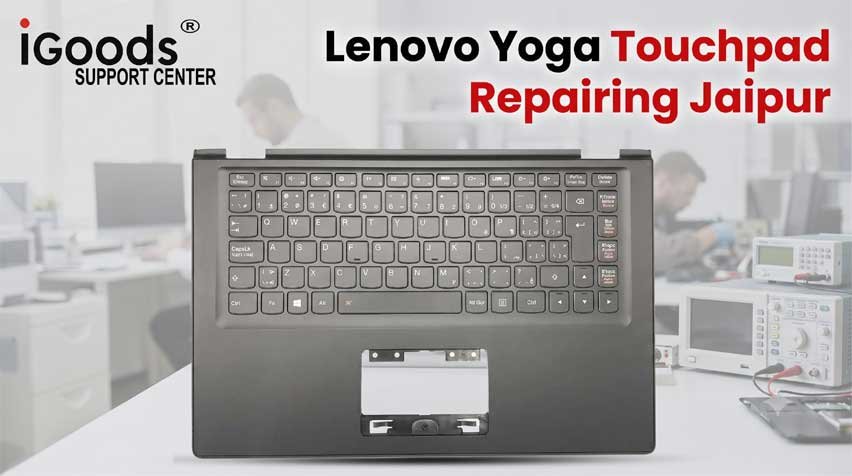
Few hardware glitches disrupt a fluid workflow faster than a notebook input surface freezing mid-stroke. For users navigating spreadsheets, drafting corporate briefs, or illustrating on convertible hardware, having the tracking surface suddenly lock up while an external USB mouse continues to operate normally creates immense frustration. Restarting the machine provides temporary relief, only for the cursor to freeze again minutes later. In high-stakes corporate and creative environments across Rajasthan’s capital, unresolved input interruptions reduce daily productivity.
Our specialized engineering bench provides authoritative Lenovo Yoga Touchpad Repairing Jaipur, targeting both low-level I2C HID bus software communication breakdowns and complex physical micro-switch defects. Rather than recommending unnecessary full-casing replacements or temporary workarounds, our Malviya Nagar laboratory conducts methodical input-sensor trace continuity checks, sensor pad grounding tests, and driver stack reconciliations to resolve intermittent touch-sensor lockups permanently.
Table of Contents
ToggleMetropolitan Service Zones Across Jaipur’s Commercial & Tech Hubs
Input failures demand rapid bench-level resolution so you can avoid carrying an external corded mouse wherever you go. Our physical workshop and mobile technicians deliver complete coverage across Jaipur’s key economic, administrative, and educational sectors.
+-----------------------------------------------------------------------------------------+
|                       URBAN INPUT CONTROLLER RECOVERY GRID                              |
+--------------------------+--------------------------------------------------------------+
| Central Business Hub     | C-Scheme, MI Road, Raja Park, Tilak Nagar, Mansarovar        |
+--------------------------+--------------------------------------------------------------+
| Southern Tech & Exports  | Sitapura, Malviya Nagar, Tonk Road, Pratap Nagar             |
+--------------------------+--------------------------------------------------------------+
| Eastern Suburbs & Labs   | Jagatpura, Model Town, Sidharth Nagar, Near JNU Campus       |
+--------------------------+--------------------------------------------------------------+
1. Central Corporate Hubs: C-Scheme, Raja Park & Tilak Nagar
Corporate directors, consulting analysts, and creative studios in Jaipur’s central business zone rely heavily on multi-touch precision gestures. If intermittent cursor freezing halts your presentation during a client session, arrange an immediate evaluation at our Lenovo service center C-Scheme desk. Across the eastern commercial districts, executives can drop off systems at our Lenovo laptop repair Raja Park branch or arrange rapid recalibration through our Lenovo laptop service Jawahar Nagar Jaipur channel.
2. Southern Tech & Commercial Corridors: Sitapura, Tonk Road & Mansarovar
Industrial enterprises, accounting consultancies, and digital agencies along Tonk Road and Sitapura require dependable input devices during peak workloads. If your cursor drops input responsiveness, our central laboratory at Crystal Court provides rapid bench diagnosis. Clients traveling across western sectors can also reach our engineering counters easily from Mansarovar.
3. Eastern Suburbs & University Belts: Jagatpura & Model Town
Freelance creators, data analysts, and engineering students stationed across eastern residential sectors encounter unique dust and static issues that destabilize tracking sensors. If your input panel becomes unresponsive while studying in the eastern colonies, booking a Lenovo laptop repair Jagatpura appointment gives you direct access to precision bench tests. Engineering students near Jagatpura campuses can also access swift hardware evaluations through a nearby Lenovo service center near SKIT Jaipur.
4. Southern Educational Perimeter: Pratap Nagar & Near JNU Campus
Campus laboratories running design software require stable, responsive hardware. When an input sensor locks up after switching from 360-degree rotation back into normal typing mode, students can consult our facility operating as a Lenovo center near Poornima College Jaipur for rapid sensor realignment and bus resets.
Architectural Analysis: Why 2-in-1 Touch-Sensors Lock Up Intermittently
Understanding why a convertible touch panel works for twenty minutes, suddenly freezes, and then returns to life only after a complete reboot requires examining how modern Windows 11 precision input sensors communicate with the motherboard.
+-----------------------------------------------------------------------------------------+
|                  INTERMITTENT I2C BUS COMMUNICATION FAILURE CASCADE                     |
+------------------------------------+----------------------------------------------------+
| 1. Sensor Electrostatic Drift      | Capacitive surface accumulates ungrounded charges  |
+------------------------------------+----------------------------------------------------+
| 2. I2C Bus Interrupt Time-Out      | Motherboard drops polling after invalid handshake  |
+------------------------------------+----------------------------------------------------+
| 3. Driver Power State Lock         | Modern Standby D3-Cold fails wake-up command       |
+------------------------------------+----------------------------------------------------+
| 4. OS Disables Sensor Node         | Device Manager flags HID node with Code 10/43      |
+------------------------------------+----------------------------------------------------+
| 5. Reboot Clears Voltage Latch     | Temporary hardware reset restores polling briefly  |
+------------------------------------+----------------------------------------------------+
1. I2C HID Bus Desynchronization vs. USB Mice
Older notebooks operated tracking hardware over the legacy PS/2 or standard USB interfaces. Modern slim convertibles communicate via high-speed, ultra-low-power I2C (Inter-Integrated Circuit) serial lines. When an external mouse is connected via USB, it operates on a separate, dedicated USB controller bus. If the I2C bus suffers a transmission timeout—caused by voltage fluctuations, driver timing issues, or static interference—the operating system drops communication with the I2C sensor entirely while the USB mouse continues working smoothly.
2. Modern Standby (D3-Cold) Power-State Latchup
Under Windows 11, power management frequently shifts internal hardware nodes into low-power states (D3-Hot or D3-Cold) to extend battery endurance. During transitions between typing, rotating the 360-degree hinge, or waking from sleep, the Intel Serial IO I2C Host Controller can fail to deliver the wake-up handshake pulse. The sensor remains trapped in an unpowered state until a system reboot clears the power rail.
3. Electrostatic Accumulation and Grounding Trace Oxidation
Convertible glass-surface trackpads use projected capacitive sensing to detect finger movements by measuring variations in electrostatic capacitance across an X-Y conductive matrix. In dry, arid climates like Jaipur, sliding a laptop in and out of backpacks generates static electricity. If the copper foil grounding strip running beneath the trackpad oxidizes or loses continuity with the magnesium-alloy chassis, static builds up on the sensor. Once the charge exceeds operating limits, the touch-controller IC locks up to protect its internal logic.
4. Physical 360-Degree Orientation Mode Switches
Convertible notebooks feature an internal hall-effect sensor or gyroscope that disables the physical keyboard and trackpad when the screen folds past 180 degrees into display or presentation mode. If this sensor’s hinge alignment drifts or its firmware flags a false angle, the system may accidentally shut off trackpad input while the laptop is resting flat on a desk.
Bench Diagnostic & Permanent Engineering Repair Protocol
Solving erratic tracking behavior permanently requires a structured diagnostic protocol that addresses both internal hardware circuitry and microcode timing issues.
+-----------------------------------------------------------------------------------------+
|                         FIVE-STAGE INPUT RECOVERY WORKFLOW                              |
+--------------------------+--------------------------------------------------------------+
| STAGE                    | TECHNICAL ACTIONS PERFORMED IN LABORATORY                    |
+--------------------------+--------------------------------------------------------------+
| 1. Trace Continuity      | Test 6-pin/8-pin FFC ribbon cable under stereo magnification |
+--------------------------+--------------------------------------------------------------+
| 2. Static Ground Bond    | Restore copper foil ground strap to palm-rest chassis        |
+--------------------------+--------------------------------------------------------------+
| 3. Serial IO Alignment   | Reinstall verified clean Intel Serial IO I2C driver stack    |
+--------------------------+--------------------------------------------------------------+
| 4. Power Registry Patch  | Disable Enhanced Power Management D3 cold-state dropouts     |
+--------------------------+--------------------------------------------------------------+
| 5. Surface Calibration   | Recalibrate capacitive sensor matrix sensitivity thresholds  |
+--------------------------+--------------------------------------------------------------+
1. Ribbon Cable (FFC) Micro-Inspection
Our technicians begin by removing the bottom casing and inspecting the flat flexible cable (FFC) connecting the trackpad to the motherboard. In ultra-slim convertibles, this thin ribbon cable is often routed over battery seams. Over months of thermal cycling, micro-cracks can develop inside the copper traces, or the locking latch on the ZIF socket can loosen, creating an intermittent connection. We clean the gold pins with isopropyl alcohol and test each line for stable electrical continuity.
2. Grounding Restoration and Conductive Shielding
To prevent static-induced sensor lockups, our technicians clean the chassis contact points and apply fresh, highly conductive copper tape between the touch-controller shielding and the internal metal chassis. This provides a clean path to dissipate static charges, preventing the capacitive sensor from freezing during long typing sessions.
3. Intel Serial IO and HID Driver Stack Optimization
We resolve software-level bus timeouts by purging corrupted generic drivers and installing verified manufacturer-calibrated Intel Serial IO GPIO and I2C controller drivers. We adjust Windows power management settings to prevent the operating system from shutting down the I2C host controller to save power, ensuring steady input polling.
4. Click-Mechanism Gap Re-alignment
Many tracking issues stem from physical compression. If the lower battery pack exhibits slight chemical swelling, it can press upward against the underside of the trackpad. This constant pressure triggers continuous “click-held” states that freeze cursor movement. Our engineers calibrate the mechanical set screw and level the sensor surface to restore proper travel and physical feedback.
Secondary Hardware Faults That Mimic Input System Failures
During diagnostics, our team frequently uncovers related hardware problems that cause or accompany tracking failures.
1. Battery Swelling and Chassis Compression
When an aging battery begins to swell, its expanding pouch pushes against the trackpad module directly above it. This physical pressure jams the micro-switch, causing intermittent cursor freezes or preventing clicks from registering. If your notebook also struggles to maintain runtime or displays a Lenovo laptop plugged in not charging fix condition, our technicians will assess battery health, check power-rail MOSFETs, and replace swollen cells before they damage the chassis.
2. Display Cable Micro-Fraying Inside Convertible Hinges
Convertible laptops endure heavy mechanical strain along their 360-degree display hinges. When internal wiring wears down, it can trigger erratic display behavior or cause angle-detection sensors to misfire, randomly disabling input devices. If your screen flickers when rotating the lid, scheduling a Lenovo display light flickering repair ensures the Embedded DisplayPort (eDP) cable and sensor wiring are repaired, insulated with Kapton tape, and routed safely through the hinge channels.
3. Liquid Ingress Along Trackpad Seams
Because the perimeter of the input surface has a microscopic gap to allow mechanical clicking, spilled liquids easily seep down into the sensor circuitry. Liquid bridges can short-circuit the capacitive sensor traces, causing the cursor to jump erratically across the screen or freeze entirely. Our laboratory uses ultrasonic solvent wash tanks to strip away corrosion products and restore clean electrical traces.
Laboratory Quality Metrics & Precision Tooling
+-----------------------------------------------------------------------------------------+
|                        INPUT RESTORATION TESTING STANDARDS                              |
+------------------------------------+----------------------------------------------------+
| Continuity Testing                 | Fluke 87V Industrial Digital Multimeters           |
+------------------------------------+----------------------------------------------------+
| Optical Inspection                 | AmScope 3.5X-90X Stereo Zoom Microscopes           |
+------------------------------------+----------------------------------------------------+
| Static Dissipation                 | Grounded Anti-Static Mats & Conductive Copper Tape |
+------------------------------------+----------------------------------------------------+
| Cable Integrity                    | Gold-Plated Replacement 8-Pin / 10-Pin FFC Cables  |
+------------------------------------+----------------------------------------------------+
ShivShakti Laptop Service Repair Center
शिवशक्ति लैपटॉप सर्विस रिपेयर सेंटर
JAIPUR STOCK EXCHANGE, 191, Jawahar Lal Nehru Marg, D-Block, Crystal Court, Malviya Nagar, Jaipur, Rajasthan 302017
| Monday - Saturday | 10:00 AM - 08:00 PM |
| Sunday | OFF (Closed) |
Frequently Asked Questions: Touchpad & Cursor Malfunctions
1. Why does my laptop trackpad randomly freeze, but an external USB mouse keeps working?
The built-in trackpad communicates over the motherboard's high-speed I2C serial bus, while an external mouse connects via a separate USB controller. If a driver conflict, power drop, or static charge interrupts the I2C bus, Windows disables the trackpad while the USB mouse continues operating normally.
2. How can I temporarily re-enable my frozen trackpad without restarting the machine?
You can often reset the driver by pressing the Windows Key + Ctrl + Shift + B to refresh the display and input bus, or by opening Device Manager, expanding 'Human Interface Devices', right-clicking 'I2C HID Device', and selecting 'Disable' followed by 'Enable'. However, a permanent fix requires addressing the underlying hardware or driver conflict.
3. Can a failing internal battery cause a laptop trackpad to stop clicking or moving?
Yes. In modern ultra-slim laptops, the battery is located directly beneath the trackpad. When an aged battery begins to swell, it exerts upward pressure on the trackpad assembly, jamming the mechanical micro-switch and causing the cursor to freeze or register false clicks.
4. Will fixing intermittent trackpad freezing require a complete operating system wipe?
No. Trackpad repairs focus on hardware grounding, ribbon cable continuity, and low-level Intel Serial IO driver reconfiguration. Your solid-state drive, personal files, and installed software remain completely safe and untouched throughout the repair process.
5. Where is your technical bench located for walk-in input diagnostic testing in Jaipur?
Our central laboratory is located at JAIPUR STOCK EXCHANGE, 191, Jawahar Lal Nehru Marg, D-Block, Crystal Court, Malviya Nagar, Jaipur. We are open Monday through Saturday from 10:00 AM to 8:00 PM for walk-in inspections and same-day diagnostics.
Client Case Studies: Touchpad Stability & Input Repairs
Issue: Intermittent Trackpad Freezing on Yoga 7 2-in-1
"My Yoga 7 trackpad would freeze every 20 minutes while working in Excel. Restarting temporarily fixed it, but the issue kept returning. An external USB mouse worked fine, which made it even more puzzling. The technicians at ShivShakti discovered an I2C bus interrupt timeout caused by oxidized copper grounding strips beneath the trackpad. They re-grounded the sensor and reconfigured the Serial IO drivers. The trackpad has worked smoothly for over two months now. Exceptional diagnostic skill!"
Issue: Trackpad Unresponsive After 360-Degree Rotation on IdeaPad Flex 5
"Whenever I folded my 2-in-1 notebook into tent mode and brought it back to clamshell, the cursor remained completely unresponsive. Another shop told me I needed an expensive motherboard replacement. ShivShakti's bench technicians diagnosed a sticking hall-effect sensor inside the hinge assembly that wasn't signaling the trackpad to re-engage. They realigned the sensor bracket and updated the sensor microcode within three hours. Fantastic, cost-effective work!"
Issue: Stiff Physical Click & Jumpy Cursor on ThinkPad X1 Yoga
"My trackpad glass surface felt unusually stiff, and physical clicks stopped registering at the bottom corners. When opening the casing, their engineers showed me that my internal battery had begun to swell slightly, pressing upward against the trackpad mechanism. They safely replaced the battery pack and realigned the trackpad mounting screws. Physical click travel is crisp again, and the cursor never stutters. Highly professional service!"
Issue: Device Manager Code 10 on I2C HID Device after Windows 11 Update
"A routine Windows 11 cumulative update left my trackpad completely dead with an exclamation mark on 'I2C HID Device' in Device Manager. Reinstalling drivers didn't help. The engineers at Crystal Court pinpointed an incompatible driver handshake with the motherboard power state. They patched the registry keys, re-flashed the sensor firmware, and restored full multi-touch gesture support in under an hour. Great support for students!"
Issue: Erratic Cursor Drifting & Ghost Touches on Legion Slim 5
"The cursor on my performance laptop was jumping erratically across the screen on its own, making 3D modeling impossible without an external mouse. The technicians found liquid residue along the edge of the trackpad glass from a past coffee spill. They cleaned the sensor in an ultrasonic solvent bath and reseated the ribbon cable. It works with pinpoint precision again. Honest pricing and expert work!"
Issue: Intermittent Trackpad Ribbon Disconnection on ThinkBook 14
"My cursor would freeze whenever I lifted my laptop by the palm-rest corner. The technician checked the motherboard under magnification and found that the ZIF latch holding the trackpad cable had a hairline crack, causing intermittent contact when the chassis flexed. They replaced the socket connector on the motherboard and secured the cable with Kapton tape. Works perfectly now!"
Issue: Static Charge Lockup on Yoga 9i Glass Surface
"Whenever I worked on a synthetic tablecloth, my glass trackpad would stop tracking after 15 minutes. ShivShakti diagnosed that static charge was building up on the sensor because the factory grounding wire had detached from the palm-rest shield. They re-bonded the grounding trace with conductive copper foil. I haven't experienced a single freeze since. True technical experts!"
Issue: Complete Sensor Dead State on LOQ 15 Gaming Laptop
"The built-in trackpad died completely after an intense gaming weekend, showing no cursor response whatsoever. ShivShakti diagnosed a blown filtering ferrite bead on the 3.3V input power rail of the trackpad controller. They replaced the micro-component via micro-soldering and restored original function without replacing the palm-rest. Excellent turnaround time and fair pricing!"