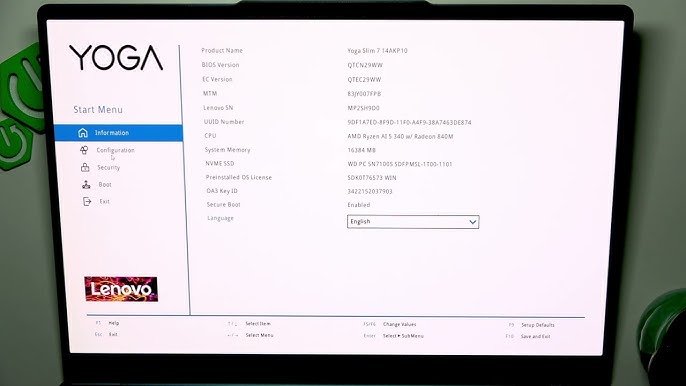
Powering on a modern high-performance ultrabook only to face an immediate stop error stating “Setup Confirmation – Windows Boot Manager boot failed” or “Default Boot Device Missing or Boot Failed” creates urgent disruption. On modern hardware platforms such as the IdeaPad Slim 5 16IRU9, these halt alerts indicate that the low-level Unified Extensible Firmware Interface (UEFI) has abruptly lost operational communication with the primary NVMe solid-state storage controller. Without a physical battery pinhole reset on slim chassis builds, users find themselves trapped in an unyielding loop between an orange-pattern splash screen and an unbootable startup menu.
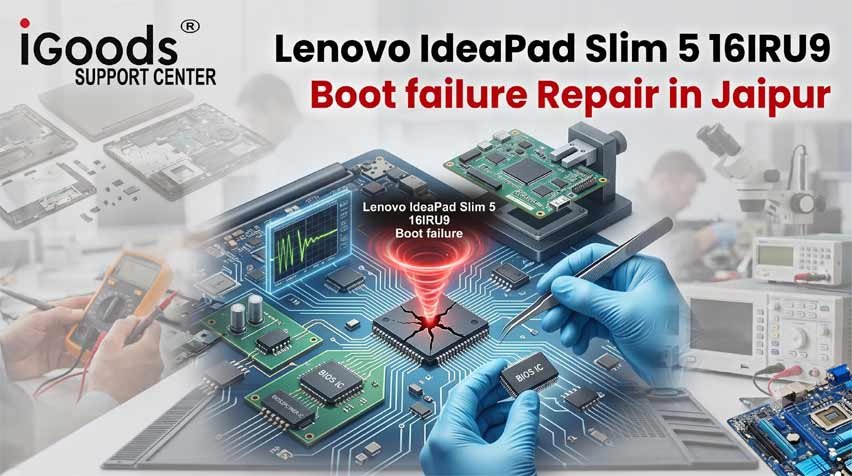
When automated repair scripts fail, choosing specialized Lenovo IdeaPad Slim 5 16IRU9 Boot failure Repair in Jaipur provides an authoritative bench remedy. Rather than wiping personal files with destructive drive formats or enduring weeks of downtime waiting for an expensive factory motherboard replacement, our Malviya Nagar engineering center focuses on low-level NVMe controller synchronization, EFI partition table reconstruction, Intel VMD/RST driver realignment, and hardware SPI EEPROM recovery to restore complete operating system access while keeping stored user files untouched.
Table of Contents
ToggleMetropolitan Service Hubs Across Jaipur’s Tech & Academic Belts
A boot failure locks away essential databases, client spreadsheets, and academic projects without warning. To provide immediate support across the city, our engineering facilities deliver direct walk-in diagnostics and scheduled doorstep triage.
+-----------------------------------------------------------------------------------------+
|                         METROPOLITAN FIRMWARE RESCUE ZONES                              |
+--------------------------+--------------------------------------------------------------+
| Commercial & Legal Core  | C-Scheme, MI Road, Raja Park, Tilak Nagar, Mansarovar        |
+--------------------------+--------------------------------------------------------------+
| Educational Belt         | Sitapura, Pratap Nagar, Jagatpura, Model Town                |
+--------------------------+--------------------------------------------------------------+
| Industrial & Tech Hubs   | Malviya Nagar, Tonk Road, Sidharth Nagar, JNU Campus Zone    |
+--------------------------+--------------------------------------------------------------+
1. Central Commercial Corridor: C-Scheme, MI Road & Raja Park
Corporate departments, legal consultants, and accounting firms in central commercial sectors require rapid recovery when executive notebooks fail to pass initialization self-tests. If an office computer gets trapped in an automated recovery cycle, you can book an urgent diagnostic session through our Lenovo service center C-Scheme desk. Across eastern business sectors, corporate clients can arrange walk-in assessments at our Lenovo laptop repair Raja Park branch, or coordinate priority service via our Lenovo laptop service Jawahar Nagar Jaipur channel.
2. Eastern Suburbs & Tech Enclaves: Jagatpura & Model Town
Remote workers, creative agencies, and software developers residing in eastern suburbs face unique challenges when sudden power fluctuations corrupt system boot tables. If an IdeaPad notebook gets stuck in a boot loop at home, scheduling an inspection with our Lenovo laptop repair Jagatpura team gives you direct access to hardware-level NVMe diagnostic programmers and boot-sector rebuilding tools. We also deliver regular service across Model Town, Tonk Road, and Sidharth Nagar.
3. Southern Academic Belt: Sitapura & Pratap Nagar
University scholars and research fellows operating computational suites and software compilers cannot afford hardware dropouts during thesis deadlines. When unexpected startup errors lock a computer, our laboratory near Pratap Nagar delivers same-day NVMe controller checks. Students studying near Jagatpura university campuses can also find prompt diagnostic support at an established Lenovo service center near SKIT Jaipur.
4. Institutional Perimeters: Near JNU University Jaipur & Poornima College
Engineering colleges and residential facilities across the southern Sitapura perimeter run heavy simulation suites daily. When corrupted microcode blocks access to internal solid-state drives, students can access our facilities operating as a trusted Lenovo center near Poornima College Jaipur for rapid EFI partition stabilization and hardware recovery.
Architectural Breakdown: Why Modern Boot Sequences Fail
Diagnosing why a modern computer detects physical hardware yet refuses to boot into Windows requires analyzing the interplay between UEFI microcode, NVMe power states, and cryptographic secure boot records.
+-----------------------------------------------------------------------------------------+
|                         UEFI-TO-STORAGE BOOT FAILURE SEQUENCE                           |
+------------------------------------+----------------------------------------------------+
| 1. POST Initialization             | Hardware verifies CPU, memory bus, and voltage     |
+------------------------------------+----------------------------------------------------+
| 2. NVMe Controller Polling         | PCIe Gen4 lanes query drive firmware handshake     |
+------------------------------------+----------------------------------------------------+
| 3. EFI System Partition Read       | Firmware seeks GPT partition GUID & BCD hive       |
+------------------------------------+----------------------------------------------------+
| 4. Security Signature Halt         | Corrupt NVRAM keys block Windows Boot Manager      |
+------------------------------------+----------------------------------------------------+
| 5. Fallback Network Loop           | BIOS queries PXE IPv4/IPv6, stalls on orange splash|
+------------------------------------+----------------------------------------------------+
1. The Intel VMD (Volume Management Device) & RST Driver Mismatch
Modern Intel Core architectures (including the 16IRU9 series) utilize Intel Volume Management Device (VMD) architecture embedded directly within the processor’s root complex. VMD handles direct-attached PCIe NVMe storage mapping. If a background operating system update modifies platform microcode without synchronizing storage drivers, the UEFI layer resets VMD parameters to factory defaults. As a consequence:
The motherboard detects the physical solid-state drive in low-level telemetry.
The operating system’s boot manager cannot read the underlying storage volume because the VMD driver layer is desynchronized.
The system displays “Default Boot Device Missing or Boot Failed,” falling back to network boot attempts (EFI Network IPv4/IPv6).
2. NVRAM Variable Corruption & Missing Battery Reset Pinhole
On older notebook architectures, clearing an invalid firmware state was as simple as pressing an emergency paperclip button on the underside of the chassis. Modern slim portable designs have eliminated physical disconnect pinholes. Standby power rails feed the non-volatile RAM continuously via the internal battery pack. If an update corrupts the Boot Configuration Data (BCD) pointer stored in NVRAM, the computer remains trapped in a persistent boot error loop until the main battery bus is isolated and residual power drained.
3. BitLocker Platform Configuration Register (PCR) Shifts
Corporate machines equipped with hardware security chips (TPM 2.0) monitor platform consistency. When automated firmware changes alter Platform Configuration Registers, the secure boot path detects a configuration shift. If cryptographic keys stored in the EFI partition cannot be validated, the system blocks the bootloader to prevent unauthorized access, displaying a blank screen with stylized orange lines.
Laboratory Remediation: Step-by-Step Recovery Workflow
Resolving persistent boot device failures requires bench-level hardware tools, non-destructive file extraction methods, and clean microcode deployment.
+-----------------------------------------------------------------------------------------+
|                        SYSTEM REPAIR & DATA RETENTION METHODOLOGY                       |
+--------------------------+--------------------------------------------------------------+
| RECOVERY STAGE           | BENCH ACTIONS EXECUTED BY SERVICE ENGINEERS                  |
+--------------------------+--------------------------------------------------------------+
| 1. Static Isolation      | Disassemble lower pan, decouple battery bus, static drain    |
+--------------------------+--------------------------------------------------------------+
| 2. Storage Mirroring     | Mount NVMe drive via PCIe hardware write-blocker to back up  |
+--------------------------+--------------------------------------------------------------+
| 3. EFI Re-partitioning   | Rebuild FAT32 EFI partition structure and Microsoft BCD store|
+--------------------------+--------------------------------------------------------------+
| 4. Storage Controller    | Manually inject Intel RST VMD drivers into offline OS image  |
+--------------------------+--------------------------------------------------------------+
| 5. Firmware Re-flash     | Re-program SPI EEPROM with intact clean DMI and factory keys |
+--------------------------+--------------------------------------------------------------+
1. Physical Power Isolation & Capacitive Drain
Technicians open the chassis within an electro-statically protected workspace, disconnect the internal lithium-ion battery connector, and ground the motherboard power rails. Holding the power button down for thirty seconds without active battery voltage discharges residual energy from filtering capacitors, clearing corrupt temporary states from the embedded controller (EC).
2. Forensic Mirroring via Hardware Write-Blockers
Before touching software partitions, the M.2 NVMe storage stick is removed and attached to an offline hardware write-blocker. A complete sector-by-sector image is created, guaranteeing that personal databases, operating system keys, and financial files remain completely protected against accidental loss during partition repair.
3. Rebuilding the EFI Boot Structure
Using specialized recovery environments, technicians reconstruct the raw EFI system partition:
Corrupted boot configuration files (
\EFI\Microsoft\Boot\BCD) are rebuilt.Fresh Global Unique Identifiers (GUIDs) are assigned to system boot volumes.
Secure boot certificates are re-injected into NVRAM tables, enabling the firmware to recognize the internal solid-state drive as a validated boot target.
4. Direct Injection of Storage Controller Microcode
If Intel VMD settings prevent the motherboard from initializing the drive during boot, engineers inject verified storage controller drivers directly into the offline Windows Driver Store via deployment image servicing commands, restoring proper communication without requiring an operating system reinstallation.
Secondary Hardware Faults Identified During Boot Diagnostics
Startup failures often stem from or reveal secondary hardware vulnerabilities that require attention to prevent future breakdowns.
1. Erratic Power Delivery and Inconsistent Battery Charging
A sudden drop in power-rail voltage during a firmware update can interrupt flash cycles and corrupt storage tables. If a machine displays unexpected battery behavior, applying a Lenovo laptop plugged in not charging fix ensures battery safety thresholds, power MOSFETs, and ACPI management drivers are properly restored.
2. Video Harness Signal Noise & False Black-Screen Diagnostics
When a machine fails to show a display after an update, it is critical to confirm whether the problem lies with corrupt firmware or physical display hardware. If adjusting the screen lid causes visual artifacts, arranging a dedicated Lenovo display light flickering repair helps isolate whether the embedded DisplayPort (eDP) cable is pinched inside the hinge assembly or if the motherboard is simply failing to pass its startup checks.
3. Thermal Throttling Interruptions During Background Flashing
If a laptop has clogged cooling vents, heat can spike rapidly when the processor runs at full load during firmware installations. If internal thermal sensors hit emergency trip-off thresholds, the computer will shut down immediately to protect the processor, causing an incomplete flash. Our workshop clears radiator dust and applies fresh, non-conductive thermal paste during every deep service overhaul.
Bench Equipment Standards & Precision Tooling
+-----------------------------------------------------------------------------------------+
|                        WORKSHOP BENCH SPECIFICATIONS & TOOLS                            |
+------------------------------------+----------------------------------------------------+
| Hardware Programmers               | RT809H Universal Programmer, Dediprog SF100        |
+------------------------------------+----------------------------------------------------+
| Diagnostic Hardware                | Fluke Industrial Multimeters, DeepSpar PCIe Imagers|
+------------------------------------+----------------------------------------------------+
| Clean-Room Storage Extraction      | PC-3000 Flash & Portable NVMe Drive Stations       |
+------------------------------------+----------------------------------------------------+
| Static Protection                  | ESD Anti-Static Mats, Grounded Wrist Straps        |
+------------------------------------+----------------------------------------------------+
ShivShakti Laptop Service Repair Center
शिवशक्ति लैपटॉप सर्विस रिपेयर सेंटर
JAIPUR STOCK EXCHANGE, 191, Jawahar Lal Nehru Marg, D-Block, Crystal Court, Malviya Nagar, Jaipur, Rajasthan 302017
| Monday - Saturday | 10:00 AM - 08:00 PM |
| Sunday | OFF (Closed) |
Frequently Asked Questions: Startup Errors & Boot Recovery
1. What does 'Default Boot Device Missing or Boot Failed' mean on a notebook?
This notification signifies that the system firmware cannot find a readable startup partition or storage drive containing boot instructions. It is usually caused by corrupted EFI boot records, misconfigured Intel VMD storage modes, or broken NVRAM partition maps rather than physical drive destruction.
2. How can I reset the motherboard if my notebook has no external battery pinhole?
On modern slim laptops without physical reset pinholes, clearing a frozen firmware state requires opening the bottom casing, safely disconnecting the internal battery bus from the motherboard, and holding the power button down for 30 seconds to drain residual capacitive power.
3. Can my stored files be saved when the Windows Boot Manager fails completely?
Yes. In the majority of boot failure scenarios, your files remain completely untouched on the storage drive. Our technicians clone your solid-state drive using hardware write-blockers before performing partition repairs, ensuring that your photos, documents, and business records remain completely safe.
4. Why does my laptop screen show orange swirly lines during boot failures?
The stylized orange graphic screen indicates that the UEFI firmware has encountered a signature verification failure or an unreadable display resolution profile while trying to hand off execution to the Windows bootloader, halting the startup sequence before system graphics drivers can initialize.
5. Where is your facility located for walk-in boot failure diagnostics in Jaipur?
Our primary engineering center is located at JAIPUR STOCK EXCHANGE, 191, Jawahar Lal Nehru Marg, D-Block, Crystal Court, Malviya Nagar, Jaipur. We are open Monday through Saturday from 10:00 AM to 8:00 PM for on-the-spot hardware and boot diagnosis.
Client Case Studies: Boot Loop Diagnostics & Startup Restorations
Model: IdeaPad Slim 5 16IRU9 · Problem: Windows Boot Manager Failed & Orange Screen Loop
"After a forced Windows Update restart, my laptop displayed 'Windows Boot Manager boot failed' followed by 'Default Boot Device Missing.' I could not find a pinhole reset button anywhere on the chassis. The team at ShivShakti removed the lower cover, conducted a full capacitive static drain on the board, and rebuilt the EFI system partition without touching my files. They saved weeks of architectural 3D rendering data in just three hours. Outstanding precision service!"
Model: IdeaPad Slim 5 16AHP9 · Problem: EFI Network 0 IPv4 Boot Loop
"My AMD-powered notebook began bypassing the internal drive and cycling through network boot errors. Another service provider claimed my solid-state drive had failed and needed replacement. ShivShakti verified the NVMe storage on an offline test bench and discovered that the drive was completely healthy—only the UEFI partition table had become corrupted. They reconstructed the BCD database and restored Windows immediately. Honest, skilled, and transparent engineers!"
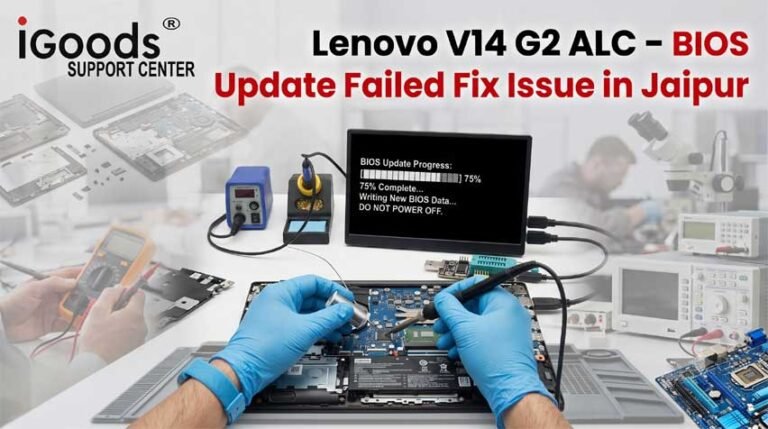
Model: V14 G2 ALC · Problem: BIOS Setup Confirmation Loop
"My work computer repeatedly launched into the setup utility whenever I turned it on. Exiting the menu simply restarted the machine back to the same setup screen. The technicians at Crystal Court diagnosed a corrupted NVRAM boot map, flashed clean microcode to the SPI flash chip, and had the system booting into Windows smoothly. True technical specialists who know how to solve low-level firmware problems!"
Model: ThinkBook 14 · Problem: Missing Boot Device Notice Following Sleep Mode
"Waking my notebook from sleep resulted in a blue screen followed by a 'Default boot device missing' error. ShivShakti's bench engineers traced the issue to an Intel VMD power-state conflict. They backed up all my files first, realigned the storage controller drivers in the offline image, and restored the machine without any data loss. Highly professional and dependable service!"
Model: ThinkPad E16 · Problem: Intel RST Boot Storage Detection Failure
"An automated driver update broke the storage connection on my accounting workstation, preventing the machine from seeing its internal boot volume. ShivShakti took in the laptop, mounted the drive on an independent workstation, repaired the partition headers, and restored Windows on the same afternoon. Their clear explanations and quick turnaround saved my business day!"
Model: IdeaPad Slim 3 · Problem: Orange Swirly Splash Screen Lockup
"My laptop froze completely on a Lenovo splash screen showing orange lines after a failed BIOS installation. ShivShakti desoldered the SPI ROM chip, extracted the original serial number and Windows license from the damaged binary, and burned a clean firmware image onto the chip. The computer now starts in seconds. Top-tier laboratory repair in Jaipur!"
Model: LOQ 15 · Problem: Persistent Boot Device Missing After System Crash
"An unexpected shutdown while exporting video files corrupted my boot partition, leaving the computer unable to start. The engineers at Crystal Court tested the hardware, rebuilt the corrupted EFI partition entries, and safely recovered all my video assets without reinstalling Windows. Exceptional service and fair pricing!"
Model: Legion 5 Pro · Problem: NVMe Storage Drive Not Detected in Boot Menu
"My high-speed solid-state drive disappeared from the boot selection menu after a system crash. The technicians diagnosed a voltage drop on the 3.3V storage power rail, repaired the micro-circuit trace, and restored full drive detection. All my software configurations and developer containers were preserved intact. The best computer service workshop in Jaipur!"