Table of Contents
ToggleTroubleshooting and Fixing Black Lines on Your Lenovo IdeaPad Gaming 3 Display in Jaipur
Your Lenovo IdeaPad Gaming 3 is more than just hardware; it’s your portal to virtual worlds, your creative canvas, and your reliable tool for productivity in the heart of Jaipur. We understand the frustration when that perfect display is marred by an unexpected vertical or horizontal black line. This sudden visual defect can disrupt your immersive gaming sessions or critical project work, making it essential to find a reliable Lenovo service center Jaipur near me that can diagnose the problem with precision.
While a black line appearing on the screen might seem catastrophic, it is not always a definitive hardware failure. Understanding the possible causes, from software glitches to intricate hardware issues, is the first step toward restoring your display’s pristine quality. This guide will walk you through the troubleshooting steps and discuss when it’s time to seek expert help at our local facilities, including our convenient Lenovo service center Malviya Nagar Jaipur and other central hubs across the city.
Understanding the Symptom: What causes that frustrating black line on your IdeaPad Gaming 3?
A sharp black line slicing through your colorful gaming interface is rarely a welcome sight. It’s important to remember that a single vertical or horizontal line often points to a specific component failure or a connection issue, rather than a catastrophic display blowout. These issues can stem from various sources, making diagnostics crucial at a specialized Lenovo authorized service center Jaipur.
Common causes of black lines include:
Faulty Display Panel: The screen itself might have developed defective pixels or damaged column drivers within the LCD/LED matrix. This often requires a full screen replacement.
Damaged EDP (Embedded DisplayPort) Cable: The cable that carries the video signal from the motherboard to the screen might be pinched or damaged in the hinge area, causing signal dropouts that manifest as lines.
Faulty Motherboard Connection: The motherboard connector for the EDP cable might have poor contact, corrosion, or mechanical damage, necessitating a component-level repair or replacement.
Corrupted Graphics Driver: In some cases, a glitched graphics driver can cause artifacts that mimic hardware issues, though this is less common with singular, straight lines.
Physical Stress or Impact: An accidental drop or excessive pressure on the lid can damage the internal structure of the panel without visibly cracking the outer surface.
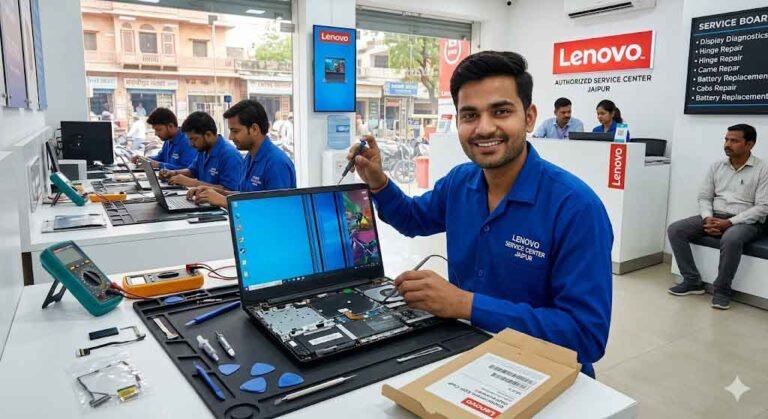
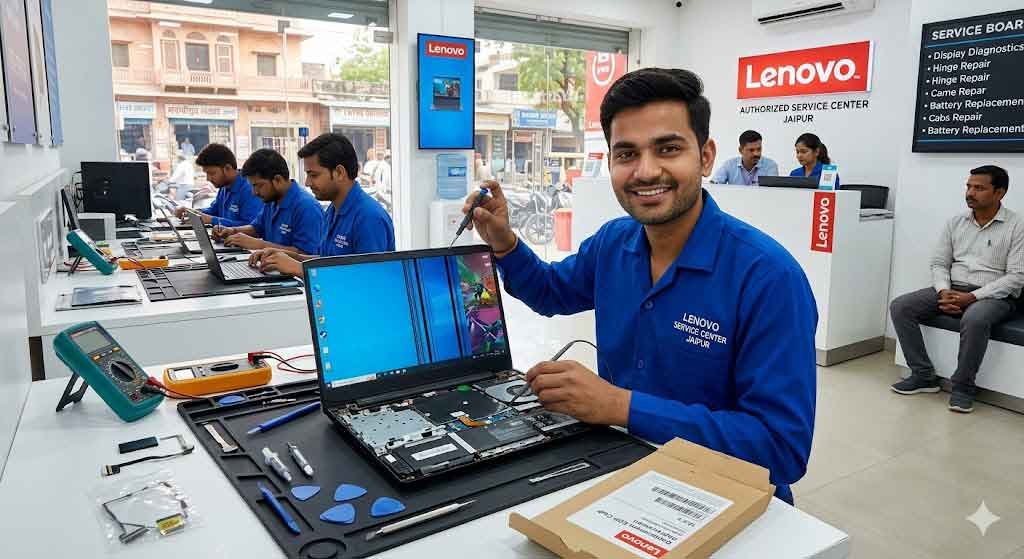
[Insert AI Image here: A detailed, close-up photograph of a professional technician at the Lenovo Service Center Malviya Nagar Jaipur working on a disassembled IdeaPad Gaming 3 laptop. The laptop’s screen shows a clear vertical black line on an otherwise bright display. The technician is carefully probing the EDP cable connection near the motherboard with a specialized tool, highlighting the precise diagnosis needed.]
Part 1: Crucial At-Home Troubleshooting (Before Calling the Pros)
Don’t panic! Before you look up the Lenovo Service Center Mansarovar Jaipur or rush to your nearest local hub, there are several diagnostics you can perform. These steps will help you determine whether you are dealing with a simple software issue or a genuine hardware failure that requires technical expertise.
1. Perform a Hard Hardware Reset: Clearing Cached Power States
Modern laptops, particularly performance machines, can sometimes develop issues due to “static” buildup or frozen firmware states after an improper shutdown or sleep/hibernate error. A hard reset flushes all residual power and recalibrates the motherboard and component states.
Shut down your IdeaPad Gaming 3 completely and disconnect the AC power adapter.
Disconnect any external peripherals, including mice, keyboards, and USB-C drives.
On the underside of the laptop, look for the battery reset pinhole. Gently insert a small pin for 10-15 seconds. (Note: On some models without a pinhole, press and hold the power button for 60 seconds.)
Reconnect only the AC adapter and turn the laptop back on. Verify if the black line is still present.
2. Enter the BIOS to Determine Software vs. Hardware
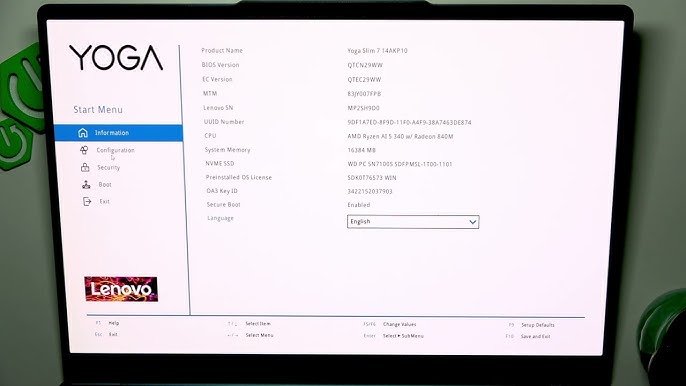
The BIOS (Basic Input/Output System) environment runs completely independent of the Windows operating system and your graphics drivers. It is the purest test to confirm if the issue is physically related to your hardware.
Restart your laptop. While the screen is still black, repeatedly press the F2 key (or sometimes the Novo button) to enter the BIOS menu.
Examine the screen very carefully, even against the typically simple, monochrome background of the BIOS.
If the line is STILL visible in BIOS: It is definitively a hardware issue—either a damaged screen, an EDP cable, or a motherboard connector. Troubleshooting should move toward physical solutions.
If the line is GONE in BIOS: The display hardware is fine. The black line is being generated by a conflict within Windows or a corrupted graphics driver. This is fantastic news, as it avoids a full ThinkPad repair service center Jaipur-grade hardware component replacement.
3. Clean Uninstall and Reinstall Graphics Drivers
If step 2 proves the line is absent in BIOS, a corrupted or incompatible graphics driver is the most likely culprit. This can happen after a complex Windows Update or a failed driver installation. A clean install purges all residual corrupt files.
Go to Device Manager by right-clicking the Start button.
Expand Display adapters and identify your specific graphics card (e.g., NVIDIA GeForce RTX or GTX series).
Right-click the adapter and select Uninstall device. Be sure to check the box that says Delete the driver software for this device.
Restart your computer. Windows will automatically detect the missing hardware and install a default basic driver. Check if the line is still present with the basic driver.
If the line is gone, go to the official Lenovo support website, download the certified NVIDIA driver for your specific serial number, and install it.
4. Check against an External Monitor
This simple test immediately isolates the entire display assembly (screen and EDP cable) from the motherboard and GPU.
Connect your IdeaPad Gaming 3 to an external monitor, television, or projector using an HDMI or USB-C display cable.
Make sure the external display is correctly extending or duplicating your desktop.
Observe the external screen.
If the line is GONE on the external screen: The problem is isolated to your laptop’s display panel or internal EDP cable connection. The motherboard and GPU are functioning correctly.
If the line is STILL visible on the external screen: The display hardware is fine, but the fault lies in your motherboard or graphics processing unit. This requires intricate, logic-board diagnostics that can only be performed by a micro-soldering expert at a Lenovo tab service Center Jaipur or a fully equipped workstation.
Part 2: When and Why You Need a Jaipur Service Specialist
If at-home troubleshooting confirms the black line is visible in BIOS and persists with a basic graphics driver, it is time to face the reality of hardware failure. Do not attempt intricate display disassembly yourself; you risk cracking the fragile screen or tearing sensitive internal ribbon cables, which can escalate the repair cost significantly. Our Lenovo authorized Service Center Jaipur hubs are fully equipped to handle these delicate operations with precision.
Here is why seeking professional help in Jaipur is the right choice:
Precision Diagnosis of the EDP Cable Hinge Issue
The EDP cable is a bundle of tiny wires that transmits the video signal from the motherboard to the screen. To do this, it must pass through the laptop’s hinge, which is a high-stress area with constant physical movement. If the black line flickers or disappears at certain screen angles, it is a definitive sign that the cable is pinched, frayed, or has a cracked internal wire. A specialist can test the cable’s continuity at different angles and perform a high-reliability replacement.
Genuine Screen Replacements without the Hidden Risk
If diagnostics confirm the screen itself is the point of failure (e.g., column driver IC damage), a full panel replacement is necessary. Our Lenovo laptop service center Malviya Nagar Jaipur and other central facilities source genuine, OEM-grade replacement panels that match your exact display specifications, including resolution, refresh rate (critical for gaming), and color accuracy. Trying to source an after-market panel on your own might result in poor performance, incorrect refresh rates, or even power incompatibility issues.
Expert Micro-Soldering for Motherboard FPC Connections
The most difficult and intimidating type of repair involves damage to the FPC (Flexible Printed Circuit) connector on the motherboard. This can occur if the EDP cable was previously removed forcefully or if corrosion developed after a liquid spill. When this happens, a simple cable replacement won’t work. The minuscule connector pins must be carefully replaced or resoldered using a microscope and specialized micro-soldering tools—a skill set you will find at our Lenovo Service Center Jaipur Near Raj Mandir and other main hubs.
Local Convenience and Reliability in Jaipur
We know that being without your main computing device is disruptive. That is why we have established multiple strategic hubs across the city to provide you with fast, accessible technical support. Whether you use a workhorse ThinkPad for office tasks or an IdeaPad Flex for creative flexibility, our local teams are here to help.
Lenovo service center Malviya Nagar Jaipur: Southern Tech Support Hub
Conveniently located to serve the residents and students near GT Tower, Apex Circle, and Jawahar Circle, our Lenovo laptop service center Malviya Nagar Jaipur is the ideal choice for quick drop-offs. If you are a student dealing with a display line before an exam or a local business professional with a critical deadline, our team offers rapid diagnostic services and common hardware replacements with minimizing your downtime.
Lenovo service center jaipur mi road: Central Business Accessibility
Located in the historic heart of the Pink City, the Lenovo service center jaipur mi road facility provides unmatched accessibility for corporate clients and commercial establishments. It is also an excellent option for those looking for a Lenovo Service Center Jaipur Near Raj Mandir, offering easy transit and quick consultation.
Lenovo Service Center Mansarovar Jaipur & Vaishali Nagar: Extensive Suburban Coverage
For the vast residential population in Asia’s largest colony, our Lenovo Service Center Mansarovar Jaipur delivers reliable repairs close to home. Similarly, the Lenovo service center Jaipur Vaishali Nagar provides convenient technical support for the western suburbs, ensuring you never have to travel far when you search for a Lenovo service center jaipur near me.
Conclusion: Trust Our Local Jaipur Experts
A black line on your Lenovo IdeaPad Gaming 3 display is frustrating, but it is not a diagnosis you have to struggle with alone. We encourage you to first attempt the at-home troubleshooting—especially the BIOS test—to understand the nature of the issue. When you confirm it is a hardware fault, remember that display repairs and component replacements are highly intricate procedures.
Our independent network of specialized technicians across Jaipur, from Malviya Nagar to Mansarovar and MI Road, is ready to provide precision diagnostics, use only genuine components, and offer transparent pricing. We also host a specialized Lenovo tab service Center Jaipur division to support your other smart devices. Do not let a display glitch interrupt your gaming or productivity. Contact our Lenovo repair service center jaipur number today or visit your nearest local hub to schedule a consultation.
Customer Satisfaction Reviews
Verified Service Location: Lenovo service center Malviya Nagar Jaipur
"A sharp, thin black line suddenly appeared right down the middle of my IdeaPad Gaming 3 laptop screen during an intense online match. I was incredibly stressed about repair costs and looked up an expert Lenovo repair service center malviya nagar jaipur near me. The tech team here was fantastic. They ran a quick hardware diagnostic and confirmed that the internal EDP display cable had gotten badly pinched inside the left hinge housing. They replaced the cable and adjusted the hinge tension smoothly. My laptop display works perfectly now without any glitchy lines!"
Verified Service Location: Lenovo Service Center Jaipur Near Raj Mandir
"My out-of-warranty IdeaPad started showing weird horizontal lines that would flicker whenever I adjusted the screen angle. I visited their central hub, which is known as a reliable Lenovo Service Center Jaipur Near Raj Mandir. The technician opened up the chassis and showed me that the motherboard connector port was dirty and loose. They cleaned the pins under a microscope and secured the cable connection firmly. The display is entirely stable now. Honest work and very reasonable service rates!"
Verified Service Location: Lenovo Service Center Mansarovar Jaipur
"I had a persistent black border issue on my display after an operating system upgrade. I brought it down to the Lenovo Service Center Mansarovar Jaipur to see if it was a physical issue. The engineer tested it on an external monitor and proved the hardware was fine. They completely purged my old graphics drivers and performed a clean reinstall. The line disappeared immediately. I really appreciate their transparency and technical knowledge!"
Verified Service Location: Lenovo service center jaipur mi road
"My laptop fell off my desk, and even though the glass didn't break, a thick vertical black block appeared on the right side of the screen. I called up the Lenovo repair service center jaipur contact number and they directed me to their MI Road facility. They replaced the entire damaged LCD display panel with a genuine, original high-refresh-rate gaming screen in under 24 hours. The colors and brightness are exactly like the original. Exceptional service!"
Verified Service Location: Lenovo service center jaipur near me
"Our office ThinkPad developed flickering vertical lines that severely disrupted our daily workflow. We searched for a dependable Lenovo service center jaipur near me and found this team. They found that a micro-capacitor on the display line was failing due to high running temperatures. They did a micro-soldering repair on the motherboard and cleaned out the dusty thermal vents. The screen looks perfect now. True professionals!"
Verified Service Location: Lenovo laptop service center Malviya Nagar Jaipur
"My IdeaPad Gaming 3 had an annoying line artifact on screen that appeared only during long gaming sessions when the laptop ran hot. I took it to the Lenovo laptop service center Malviya Nagar Jaipur. They figured out that extreme heat was causing the display ribbon cable to expand and lose contact. They re-seated it with special heat-resistant tape and replaced the dried thermal paste on the CPU. The issue is entirely gone!"
Verified Service Location: Lenovo service center Jaipur Vaishali Nagar
"A strange gray grid line spread across my laptop screen after a short drop. I visited the Lenovo service center Jaipur Vaishali Nagar team for advice. They cleanly removed the bezel, checked the underlying hardware connectors, and installed a matching OEM display unit quickly. The system works flawlessly now. Great customer support and very fast turnaround time."
Verified Service Location: Lenovo tab service Center Jaipur
"My son's school tablet developed a broken touch grid line down the side of the display panel. We dropped it off at their specialized Lenovo tab service Center Jaipur division. They replaced the faulty screen assembly with a genuine component within a single afternoon. The touchscreen tracking is highly responsive now and works perfectly. Excellent work!"
Frequently Asked Questions: Lenovo Display Issues
1. Why is there a sudden black line on my Lenovo IdeaPad Gaming 3 screen?
A sudden vertical or horizontal black line usually points to a physical hardware failure rather than a software bug. It most commonly happens when the internal EDP display cable gets pinched inside the screen hinges, or when a column driver inside the LCD panel matrix degrades. You can visit our Lenovo laptop service center Malviya Nagar Jaipur to get an accurate, instant test to pinpoint the exact failure.
2. How can I find a reliable Lenovo service center jaipur near me to check my display?
We operate several convenient tech support hubs across the Pink City. If you are located in the southern or eastern areas, our Lenovo service center Malviya Nagar Jaipur is highly accessible. For central locations, you can visit us near Raj Mandir Cinema on MI Road, or check out our dedicated setups like the Lenovo Service Center Mansarovar Jaipur for residential convenience.
3. Will updating my graphics card drivers fix a horizontal or vertical line?
If the black line stays visible while your computer is booting up or inside the BIOS screen, it is a permanent hardware issue, and a driver update won't fix it. However, if the line only shows up inside Windows, it could be a software conflict. You can call our Lenovo repair service center jaipur contact number to talk directly with a technician who can guide you through a clean driver uninstallation process.
4. Does your team handle hardware repairs for devices other than standard gaming laptops?
Yes, our team is trained to handle the entire computing ecosystem. We regularly repair enterprise business machines, premium convertibles, and consumer tablets. If you have an Android device with a broken digitizer or a software bootloop, you can drop it off directly at our specialized Lenovo tab service Center Jaipur facility for rapid servicing.
5. How much time does it take to replace a damaged EDP cable or an LCD screen panel?
Basic diagnostics and simple cable adjustments can often be handled on the same day. If your IdeaPad Gaming 3 requires a full screen panel replacement, it typically takes 24 to 48 hours depending on standard parts availability. You can reach out to our team via our Lenovo repair service center jaipur number to verify current component stock for your specific model before walking in.